reCanvas
The design canvas for agencies. Your client comments, your AI agent fixes it.
Visit the site →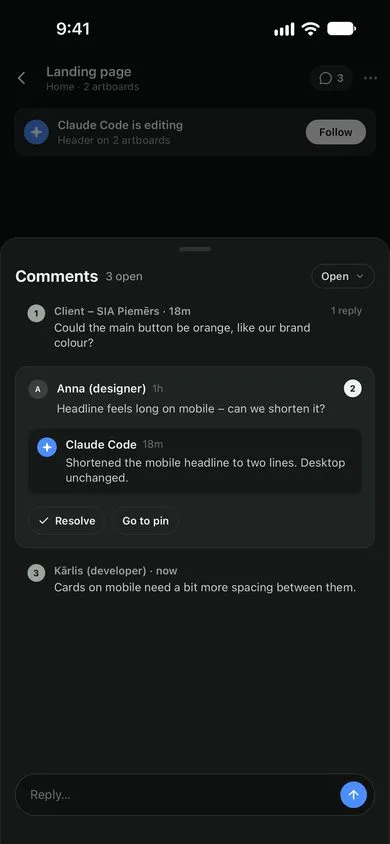
- Platforms
- Web · Mac · iPhone
- My role
- Everything: product, design, code, server
- Started
- Autumn 2026
01 / Why
Feedback lives everywhere except next to the design
At REDZI Digital, client feedback came by email, WhatsApp and screenshots. Someone retyped it into tasks, then into the design. Every round took about an hour.
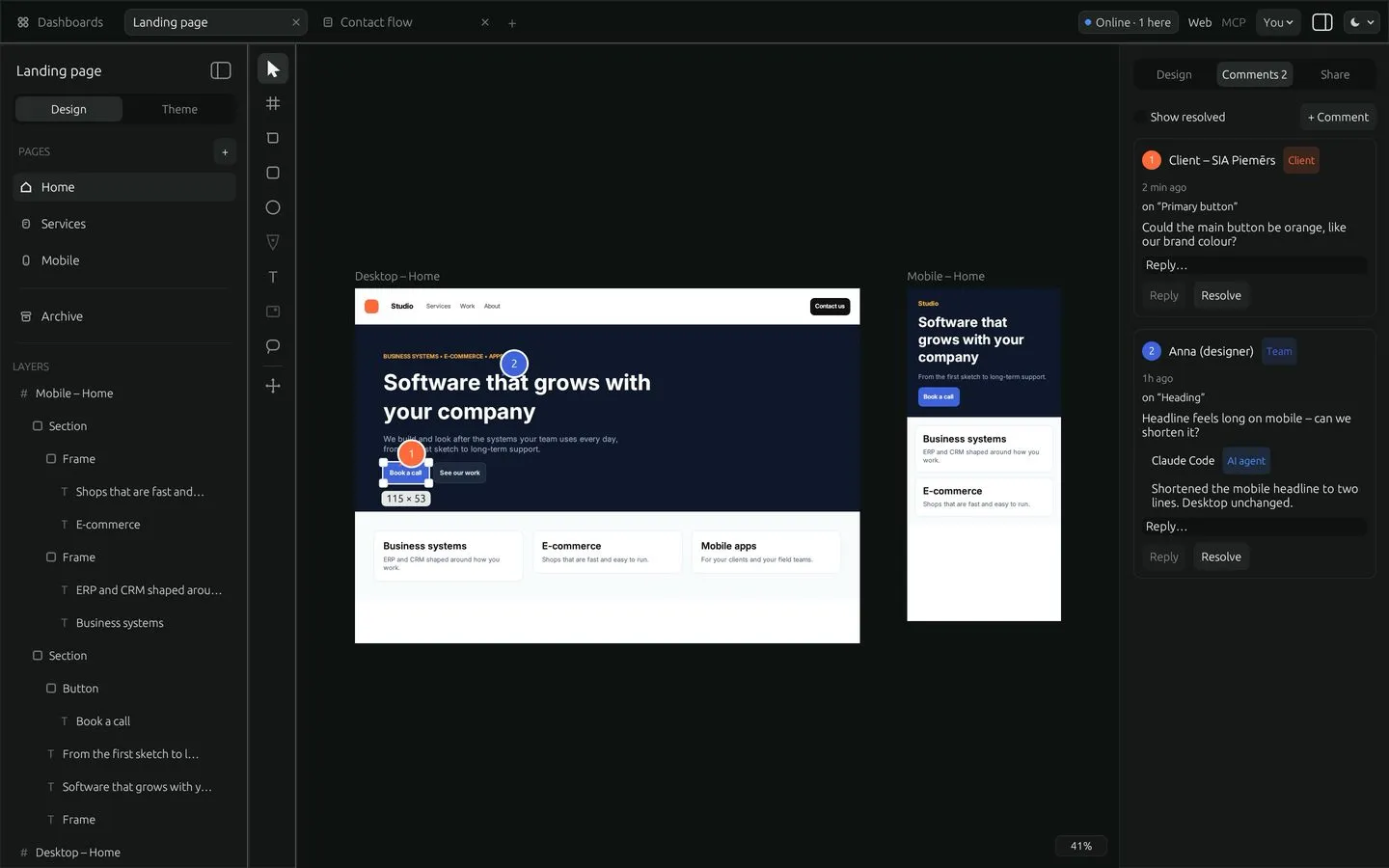
reCanvas cuts that down to one pin on the design. The client comments without an account, our AI agent reads the comment through MCP and fixes the design while we watch. It started as our own tool, replacing the design tool we used before, and is now a product with free early access.
02 / What it does
Key features
- 01
A review link for the client
One link per file. The client opens it on a phone or a computer, with no account and nothing to install, and pins a comment on the exact element.
- 02
Your AI agent through MCP
Claude Code, Cursor, Codex or any other MCP client reads the comment, changes the design, replies and marks the comment as resolved.
- 03
No black box
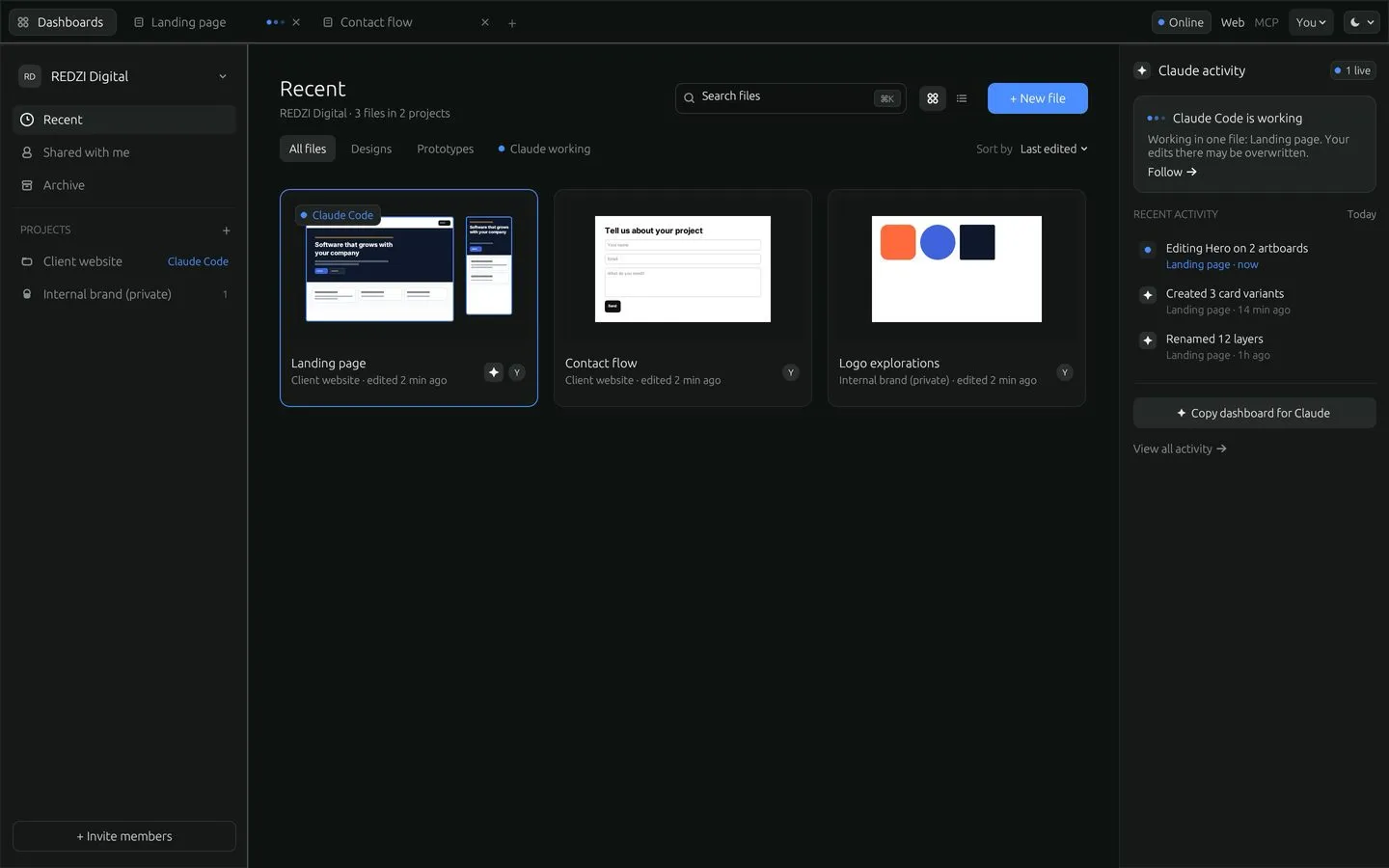
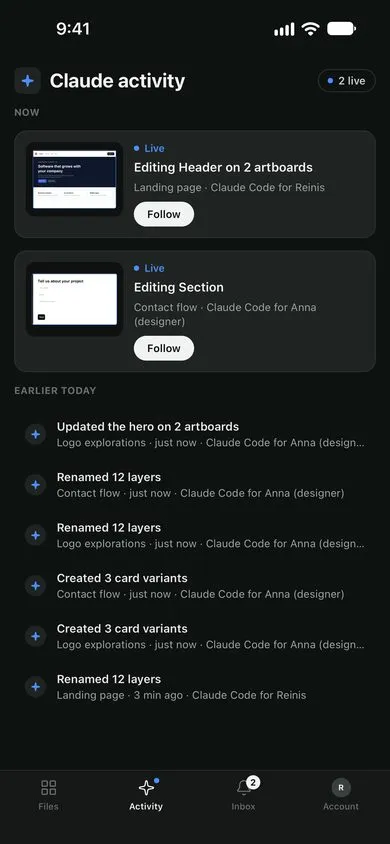
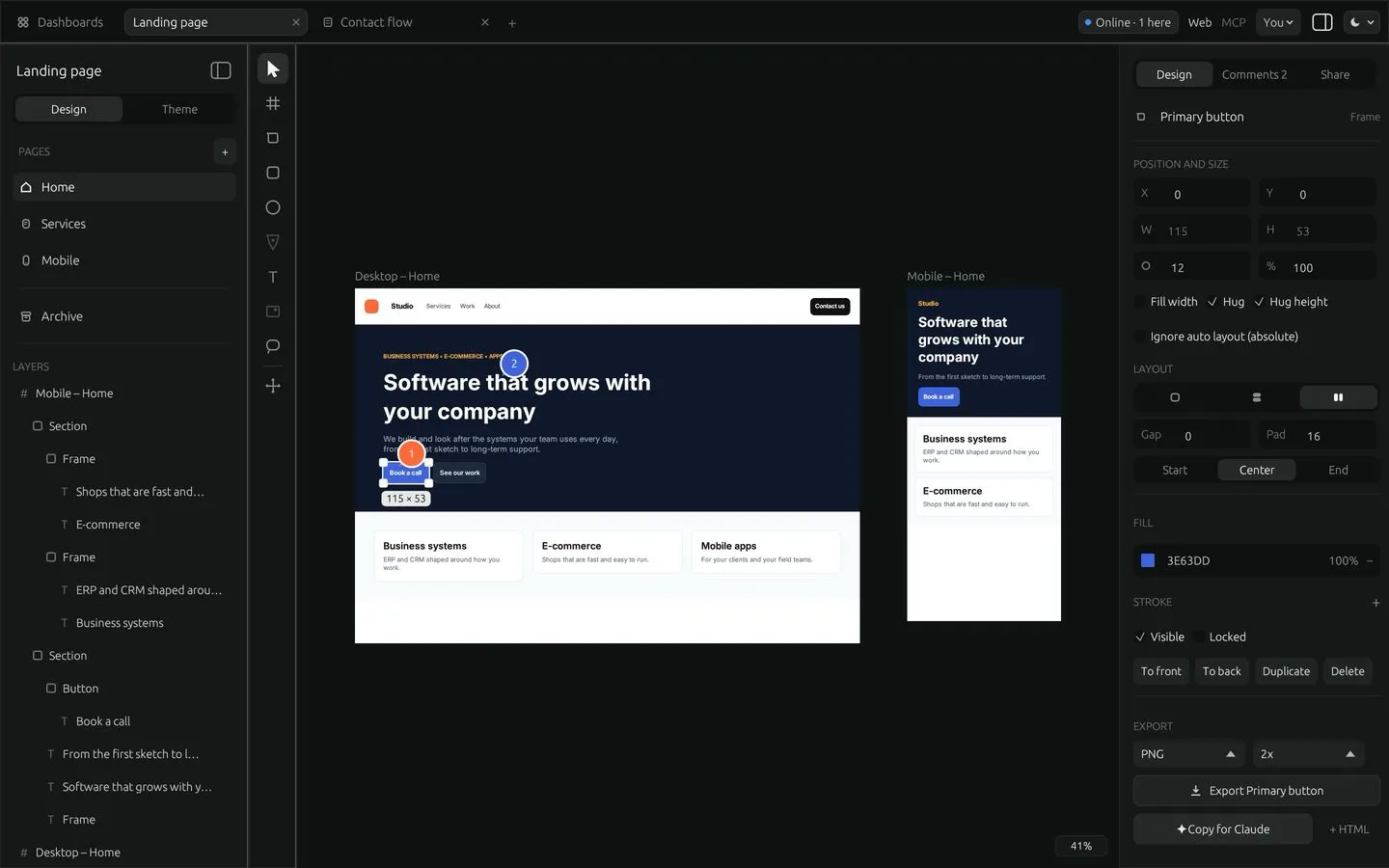
Blue outlines show which layers the agent is changing right now. Follow moves your view with the agent, and the activity log shows every step.
- 04
The whole team in one file
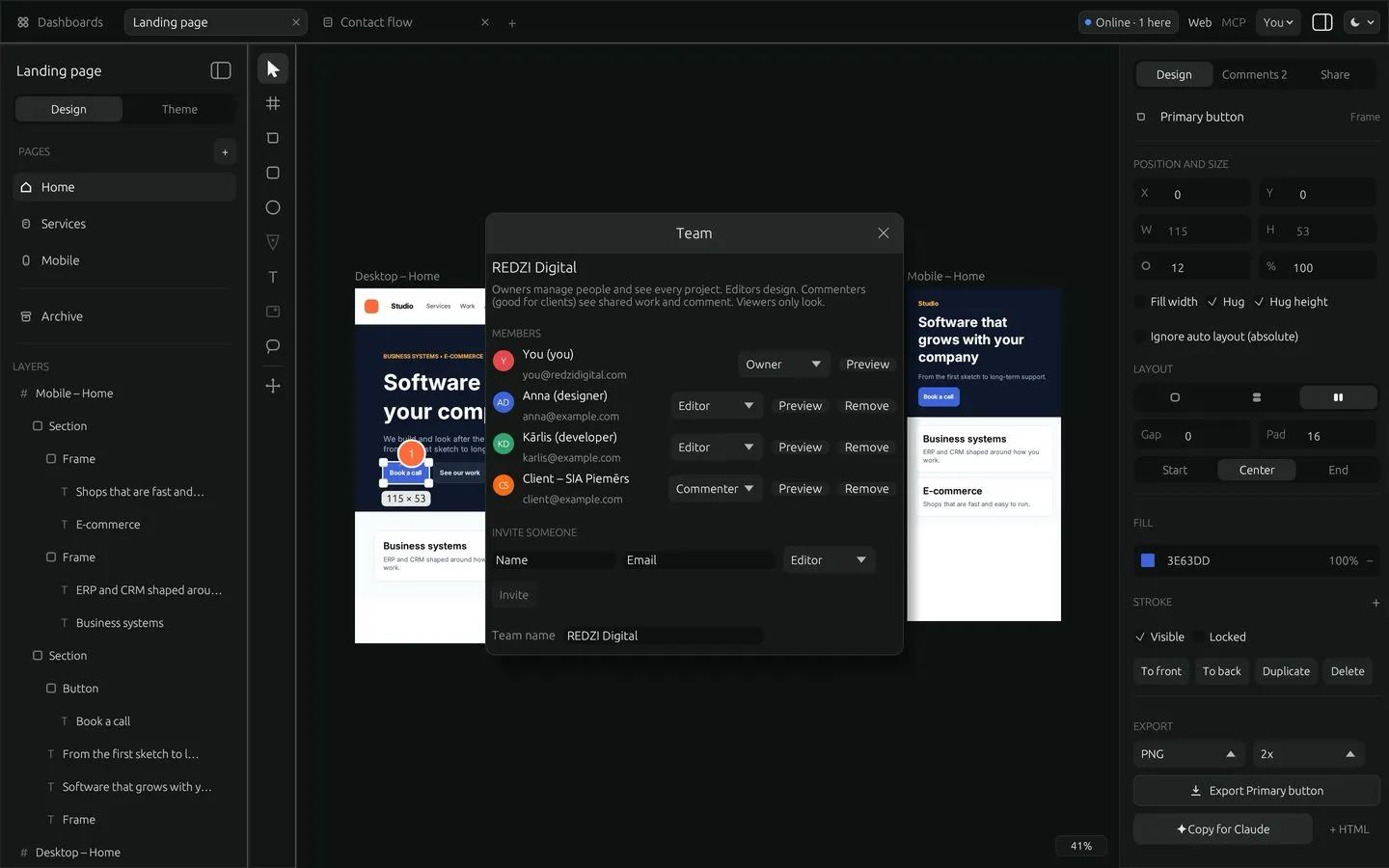
Several people work in the same file at once. Owner, Editor, Commenter and Viewer roles, private projects, and any link can be revoked in one click.
- 05
On every device
A web editor, a Mac app and an iPhone app with comments, live agent activity and an Inbox that collects all the feedback.
- 06
Data in Europe
Servers in the EU, run by REDZI Digital in Latvia. No AI is trained on your designs, and we run no AI on our side.
03 / What was built
Under the hood
- 01
Rust server
One Rust server stores the teams' files, syncs the apps in about a second, and serves the web editor, review links and MCP.
- 02
Design as HTML
Frames, text, auto layout, components and variants. The agent writes the design in HTML and styles it already knows from code.
- 03
MCP tools
The agent reads the layer tree and comments, changes styles and text, creates artboards, inserts images and checks the result with a screenshot.
- 04
Desktop app
A Rust app for Mac and Windows with a local MCP server. Claude Code works with the signed-in person's rights and knows the open file and selection.
- 05
iPhone app
React Native and Expo. Files, comments with replies, live Claude activity and an Inbox with every open piece of feedback.
- 06
Fonts and library
Any Google Fonts family or the team's own uploaded font, and a shared library of images and icons for the whole team.